Point of Sale (POS)Fast checkout, with stock and accounting updated at the same moment.Show details
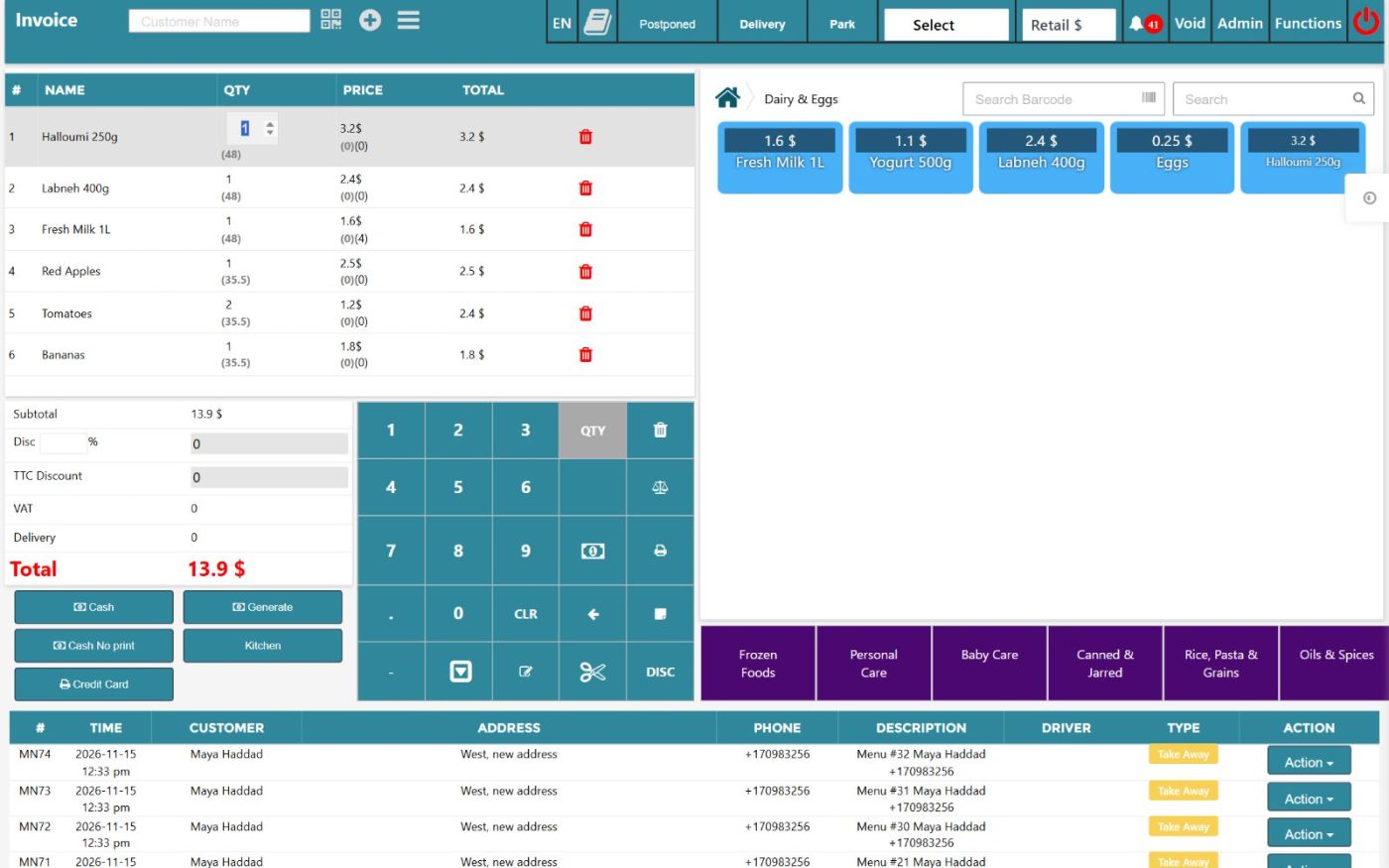
A touch-screen cashier screen for supermarkets, shops and restaurants. Scan a barcode, tap a product or weigh it on a scale; take cash, card or on-account payments; close the shift with a clear cash report. Every sale updates stock and the books instantly.
Selling
Touch and keyboard selling: Number pad for quantity, price and discount; keyboard shortcuts for fast cashiers.
Barcode and product search: Scan, search by name or browse categories with product pictures.
Quick keys: Your own pages of one-tap buttons with colours, for fruit, bread and other items without barcodes.
Label scales: Network label scales (Kertz, Motex, Jhma) are supported; weighed-item barcodes are read for weight or price.
Price lists: Switch between retail, wholesale or other price lists; the invoice currency can follow the list.
Discounts with limits: Item and invoice discounts, with a maximum per user. The server re-checks every price and total, so a cashier cannot change them.
Units, lots, serials and expiry: Sell by piece or carton; expiry, lot and serial numbers are checked at sale time.
Customer card: Find a customer by QR code or camera, see their last orders and sell on their account.
Payment
Multi-currency: Multi-currency, with the rate saved on every document.
Card, cheque and on-account: Split one sale over several payment types; the unpaid part goes on the customer account.
Cash drawer and shifts
Open drawer with an opening amount: Each cashier starts the shift with a counted float.
End of shift and end of day: Cash received minus change, per currency, with a printed report.
Cash drawer log: Every drawer opening without a sale can require a reason.
Receipts, payments and expenses at the till: Take a customer payment or pay a small expense without leaving the POS.
Orders, returns and delivery
Park and recall: Put a basket on hold, serve the next customer, recall it later.
Pre-orders (postponed): Orders for a later date and time with a production status: requested, in production, ready, delivered.
Return and exchange: Return items or exchange them in one step, with the stock and accounts corrected.
Void with reasons: Cancel an invoice or a line with a reason; protected by permissions.
Delivery: Customer address and region, delivery fee, driver assignment and delivery list.
Printing and hardware
Cloud print agent: The ERP in the cloud prints receipts and kitchen tickets on the printers in your shop through a small agent on a shop PC.
Print templates: Your own receipt and invoice layouts, per branch.
PIN login: Cashiers and waiters sign in with a PIN on a number pad.
Products & PricingAll your items, units, barcodes and prices, organised once.Show details
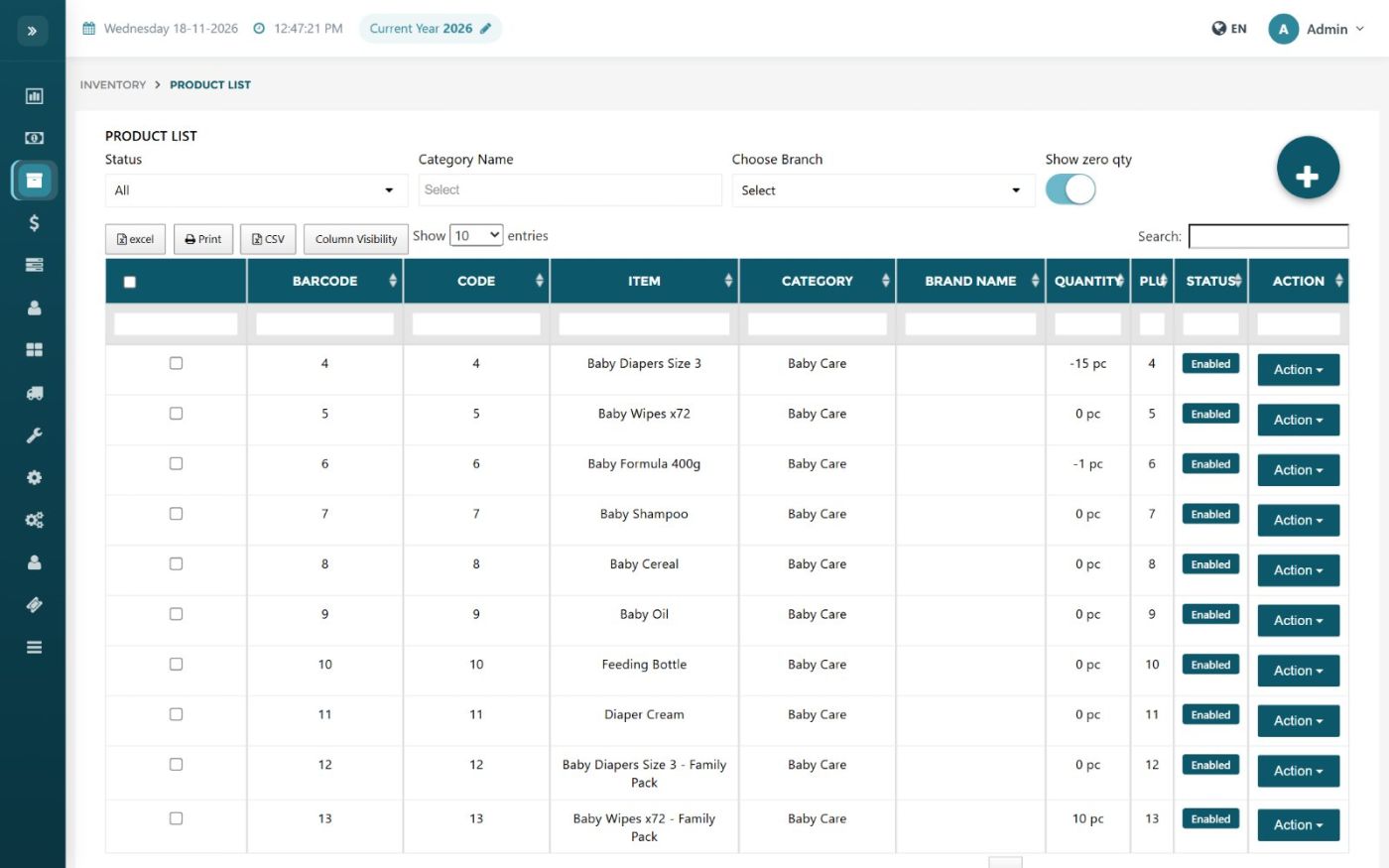
One product catalogue for the POS, the warehouse, the apps and the accounts. Units and barcodes, sizes and options, recipes, price lists in any currency and bulk price changes: set them once, use them everywhere.
Catalogue
Product card: Arabic and English names, barcodes, category, brand, family, supplier, VAT, maximum discount and photo.
Units of measure: Piece, box, carton with their own barcodes and conversion.
Options and variants: Size, colour or extras as single or multiple choice, with extra price.
Linked products and kits: Selling one item can take its linked items out of stock.
Lots, serials and expiry: Switch on per product: expiry for food and medicine, serials for electronics.
Services and tickets: Items without stock for services.
Bulk create and edit: Create or edit many products at once; import from Excel.
Recipes (bill of materials)
Recipe: Ingredients and quantities for a product or dish.
Cost and profit: Recipe cost, produced quantity and profit per price list.
Import recipes: Load recipes from a file.
Prices and discounts
Price lists: Any number of price lists (retail, wholesale, VIP), each in its own currency.
Cost-plus pricing: Price based on last cost plus a percentage, with or without tax.
Bulk price changes: Raise or lower prices by % with rounding.
Customer discounts: Discounts per item for a customer or group.
Barcodes and scales
Label printing: Print barcode labels by template and paper size, with the price from any price list.
Scale integration: Send products to label scales; read weight or price from scale barcodes.
POS quick keys: Arrange one-tap buttons for the touch POS.
Inventory & WarehousesKnow exactly what you have, where it is and what it is worth.Show details
Multiple warehouses and branches, transfers with request and confirmation, stock counts, damage and expiry tracking, and stock valued with FIFO, LIFO or average cost. Every movement has a trace on the stock card.
Warehouses
Multiple warehouses: Each with its branch, storage type and person in charge.
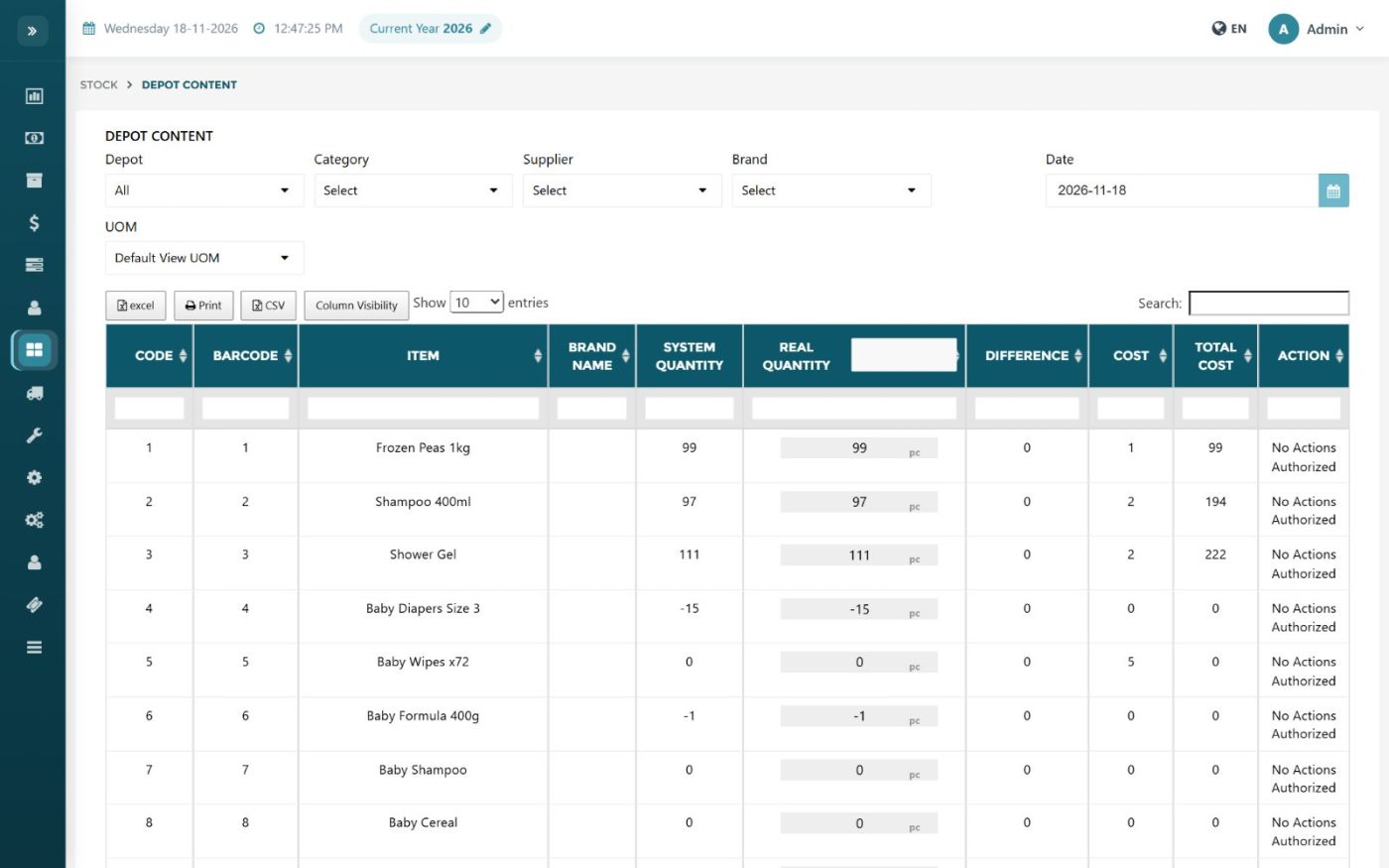
Warehouse content: Live stock per warehouse: system quantity against counted quantity, with adjust, damage and expiry actions.
Product locations and shelves: Where each product is stored.
Opening stock: Load opening quantities with cost, currency, lot, serial and expiry; import from Excel.
Movements
Transfer requests: A branch requests goods; the request is confirmed or rejected, then transferred.
Transfers with receiving confirmation: The receiving side confirms what really arrived.
Negative-stock control: Block transfers or sales that would make stock negative.
Damage: Record damaged goods with a reason, lot and expiry.
Counts and adjustments
Stock count: System against real quantity; the difference is posted.
Adjustment with accounting: An adjustment that also posts a journal entry to the accounts you choose.
Handheld counts: Counts from data collectors are uploaded as adjustment files.
Reorder list: Items under their reorder point, with the supplier.
Stock reports
Stock card: Every in and out with the running balance and cost.
Stock value: Stock value by warehouse at cost, last cost, FIFO/LIFO/average or any price list.
Backdated stock: Stock as it was on any past date.
Expiry, lot and serial reports: Items close to expiry and the history of each lot or serial.
Purchasing & ImportsBuy smart, know the true cost of every item.Show details
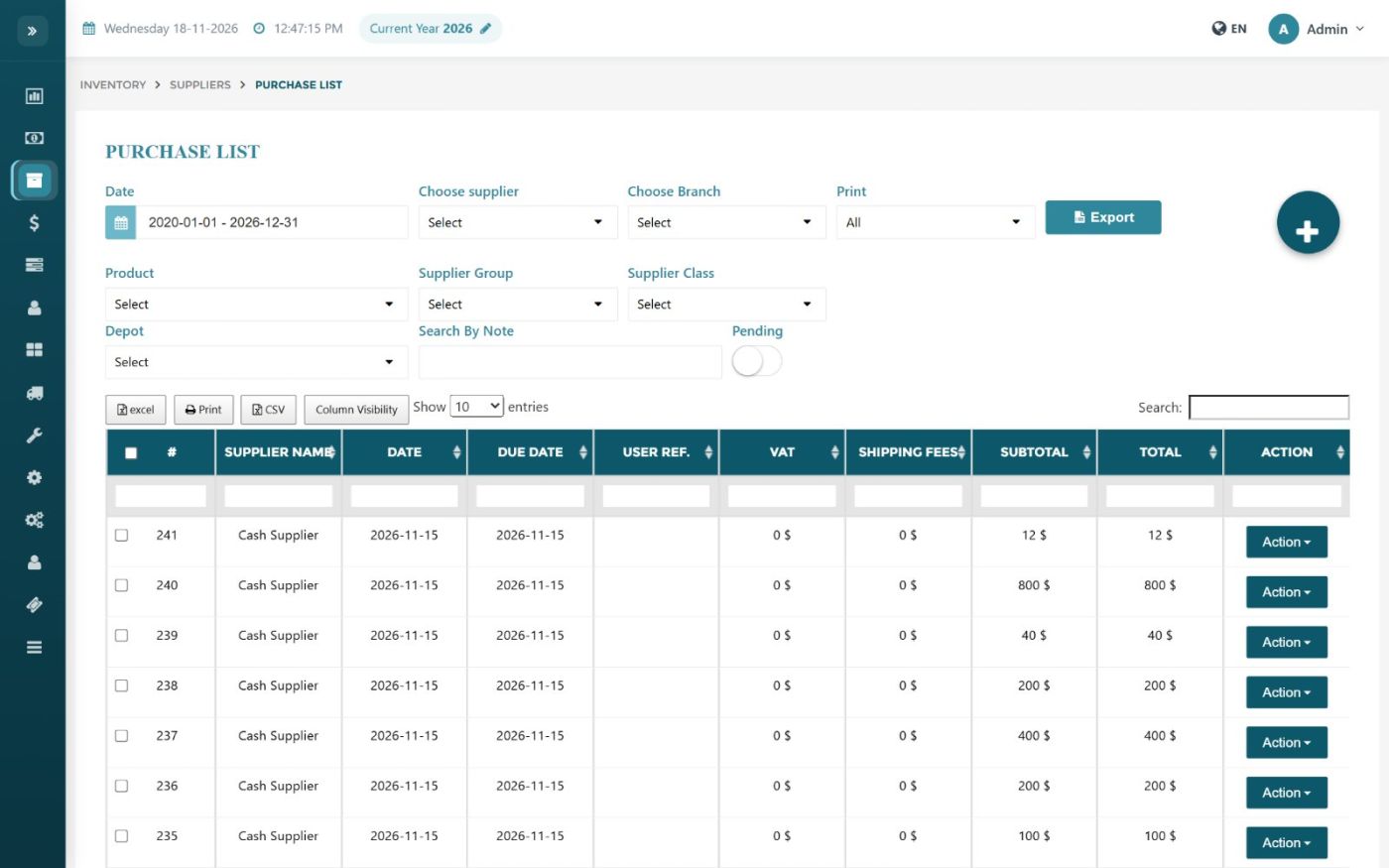
Purchase quotations, orders, goods received notes and supplier invoices, connected to stock and accounting. For importers, freight, customs and other costs are spread on the items so the cost price is the real landed cost.
Purchase flow
Purchase quotations and orders: Ask suppliers for prices, then order; the order becomes the invoice.
Purchase delivery note: Receive goods before the invoice arrives, then convert.
Supplier invoice: Depot, unit, lot, serial and expiry per line, with VAT.
Due dates: Supplier invoices by due date to plan payments.
Supplier returns: Return goods; the server refuses returning more than was bought.
Imports and landed cost
Landed cost: Freight, customs and other costs are spread on the items by the method you choose.
Customs and clearing details: Clearing agent, IDF / CEPS / CCVR numbers and container deposit on the delivery note.
Import details: Container, CTN and FOB per purchase.
Supplier pricing
Supplier price lists: Purchase prices per supplier, in their currency.
Supplier discounts: Discounts per item as a percentage or an amount.
Supplier product codes: Keep each supplier's own code for your item.
Financial purchase (no quantity): Book a purchase in accounting without moving stock.
Accounting & FinanceClean books, closed on time.Show details
Full double-entry accounting connected to every sale, purchase, payment and payslip. Your own chart of accounts, multi-currency with the rate saved on each entry, cheques, VAT closing, year closing and financial statements, with locked periods so the past cannot be changed.
Set-up
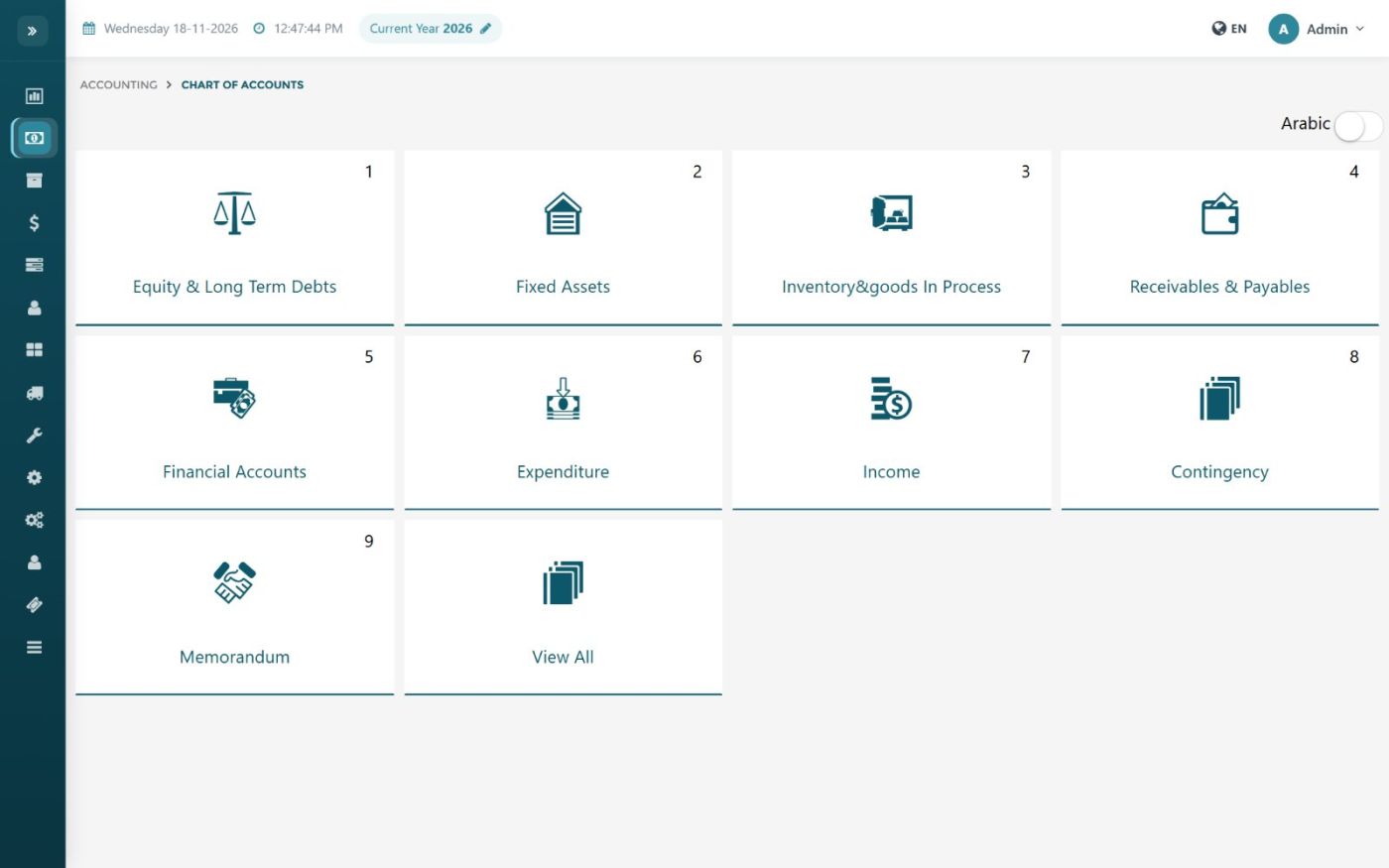
Chart of accounts: A ready chart of accounts (English and Arabic names) copied into your company chart.
Currencies and rates: Local, second and third currency; each document keeps the rate of its date.
Branches, cost centres and years: Every entry carries its branch and financial year; jobs act as cost centres.
Bank and cash accounts: Bank accounts and a cash account per drawer or user.
Daily work
Payments and receipts: In any currency, by cash, cheque or card, linked to invoices.
Cheques: Post-dated cheques by due date; collect or return; the server refuses a cheque collected twice.
Expenses with approval: Normal and cash expenses; pending expenses post only after approval.
Journal vouchers: Manual entries that must balance; opening balances.
Deposits and withdrawals: Cash to bank and currency exchange with a check that both sides match.
Credit and debit notes: Adjust a customer or supplier balance without an invoice.
Instalments: Split a bill into dated instalments and follow them.
Prepaid and accrued: Prepaid expenses and income, accruals; monthly entries post automatically.
Fixed assets: Assets register with automatic depreciation.
Closing and control
VAT closing: Clear VAT input and output into a closing entry for the period.
Year closing: Close the year and carry balances forward.
Lock data: Freeze everything up to a date: nothing back-dated can be added, changed or deleted.
Statements and reports
General ledger: Per account, per customer/supplier, or several accounts together.
Trial balance: With opening, movement and closing balances.
Income statement and balance sheet: In the currency you choose, for any period and branch.
Aging, VAT and top customers/suppliers: Ready reports for collections, VAT and analysis.
Custom report builder: Build your own report from account blocks and document types and add it to the menu.
Dashboard & InsightsSee how your business is doing today, on one screen.Show details
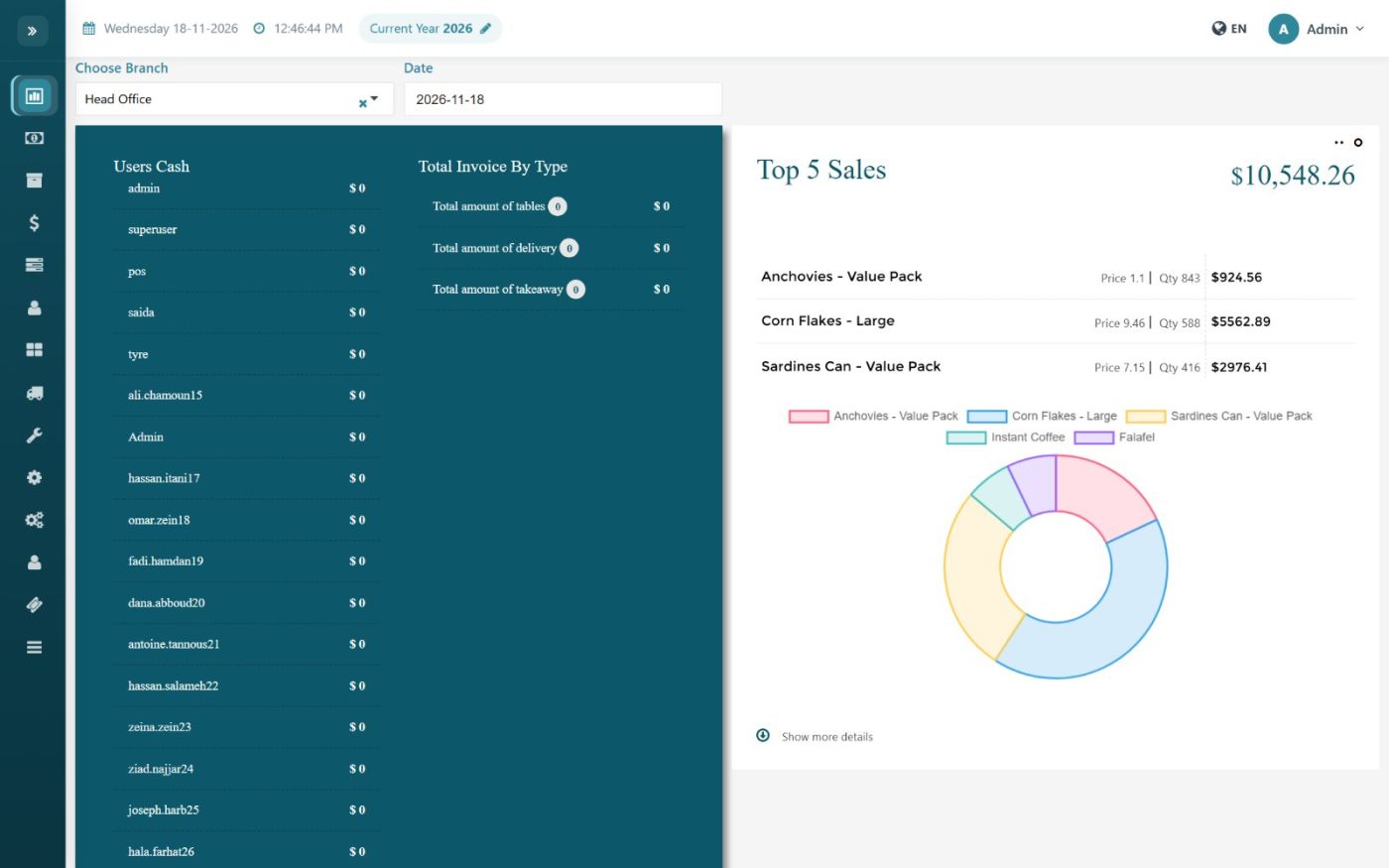
The dashboard is the first screen after login. It shows today's sales, cash in every drawer, the best-selling items and the profit trend, for one branch or all branches. HR and accounting have their own dashboards.
Business dashboard
Sales, purchases and expenses: Daily, weekly and monthly totals, so you see the trend before the month closes.
Cash per user and per drawer: How much cash each cashier or user is holding right now.
Invoices by type: Table, delivery and take-away totals for restaurants.
Top 5 selling items: Your best sellers with quantity and value, as a chart.
Customer and supplier balances: What customers owe you and what you owe suppliers.
Latest unpaid invoices: Follow up on collections from the first screen.
Branch selector: Switch between branches or see all of them together.
Accounting dashboard
Profit chart: Income, cost of sales, gross margin, expenses, depreciation, salaries and net profit by month.
HR dashboard
Headcount and turnover: Active employees by department and contract type, joiners and leavers.
Pending approvals and alerts: Leave requests, contracts ending, documents expiring.